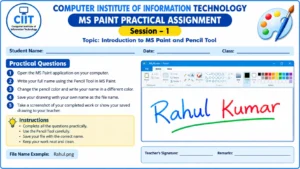
MS Paint Session-1 practical assignment to learn the basics of Microsoft Paint. In this assignment, students will open MS Paint, write their full name using the Pencil Tool, practice changing pencil colors, and save their drawing with their own name as the file name. This practical activity helps students develop basic computer skills, mouse control, and creativity.
Institute: Computer Institute of Information Technology (CIIT)
Topic: Introduction to MS Paint and Pencil Tool
Session: 1
Practical Questions
Q.1. Open the MS Paint application on your computer.
Q.2. Write your full name using the Pencil Tool in MS Paint.
Q.3. Change the pencil color and write your name in a different color.
Q.4. Save your drawing with your own name as the file name.
Q.5. Take a screenshot of your completed work or show your saved drawing to your teacher.
Instructions
- Complete all the questions practically.
- Use the Pencil Tool carefully.
- Save your file with the correct name.
- Keep your work neat and clean.